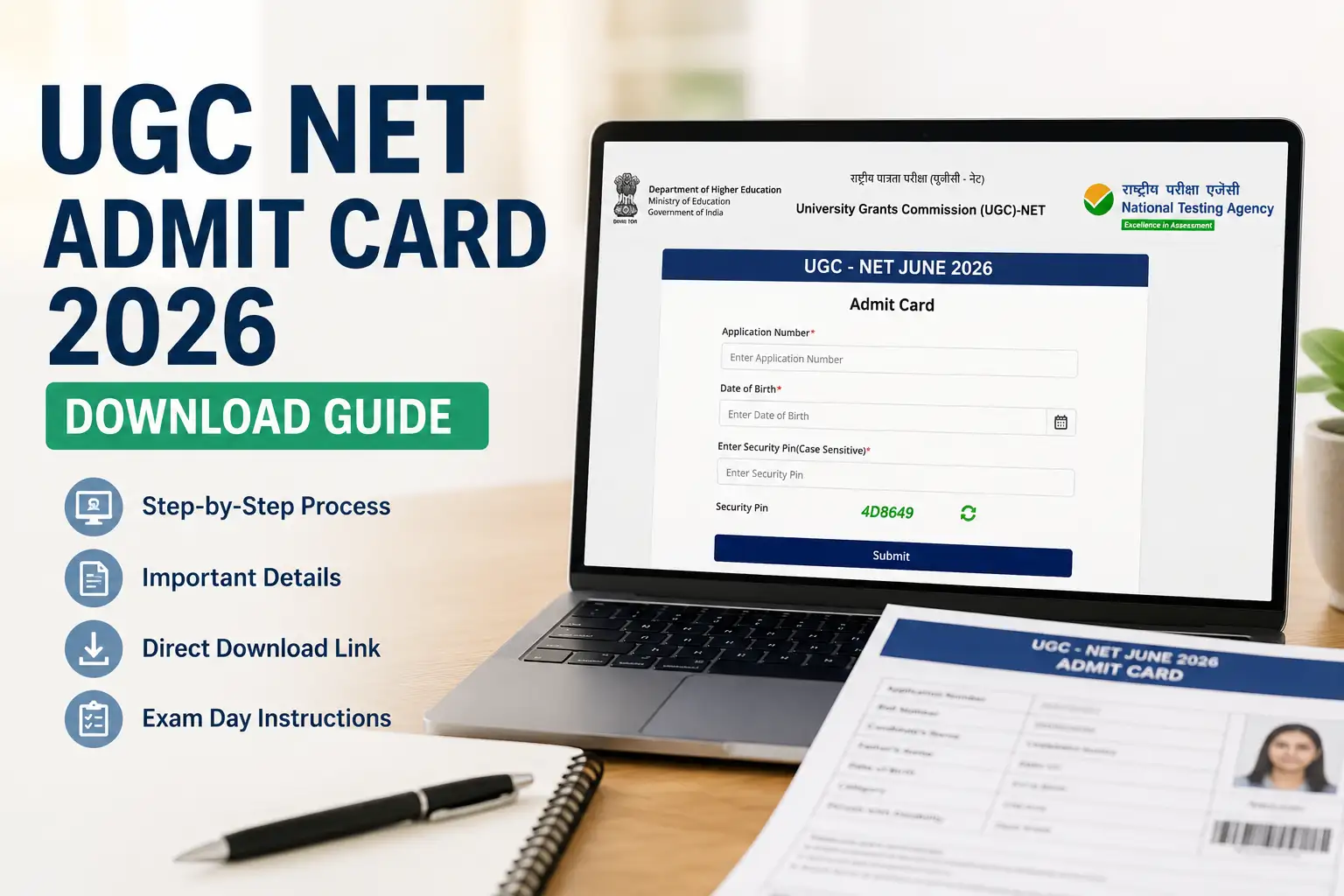
One of the most essential documents you have to hold before entering the examination hall if you are planning to appear in UGC NET 2026 is the UGC NET Admit Card 2026 Download. Candidates without this hall ticket will not be allowed to get entry in the hall. Each year lacs of candidates struggle to download their UGC NET admit card due to wrong information, server error, or uncertainty of which site is the right one.
In this article, we will explain all about ugc net admit card- how to download, important points and guidelines related to it, information specified on the admit card, solving problems, and so on.
Table of Contents
What is UGC NET Admit Card 2026?
The main document required to appear in the June 2026 UGC NET exam, which will be conducted across India for NET/JRF, is your UGC NET Admit Card 2026.
Inside the admit card, you will find the following details:-
- Candidate’s Name
- Roll Number
- Application Number
- Exam Date
- Shift Timing
- Exam Centre Address
- Subject Name
- Reporting Time
- Candidate Photograph & Signature
UGC NET Admit Card Release Date 2026
Around one week before the exam, your UGC NET Admit Card will be available on the official UGC NET website.
Before the admit card is released, NTA first provides the Exam City Intimation Slip and exam date details around 10 days before the examination. Usually, the admit card is released 4–5 days before the exam date.
After getting your exam city slip, you should check your exam date carefully. Then, 4–5 days before the exam, regularly login to your account and check for your admit card updates.
UGC NET Official Website – https://ugcnet.nta.nic.in/
Buy UGC NET Paper 1 Notes: Click Here
How to Download UGC NET Admit Card 2026?
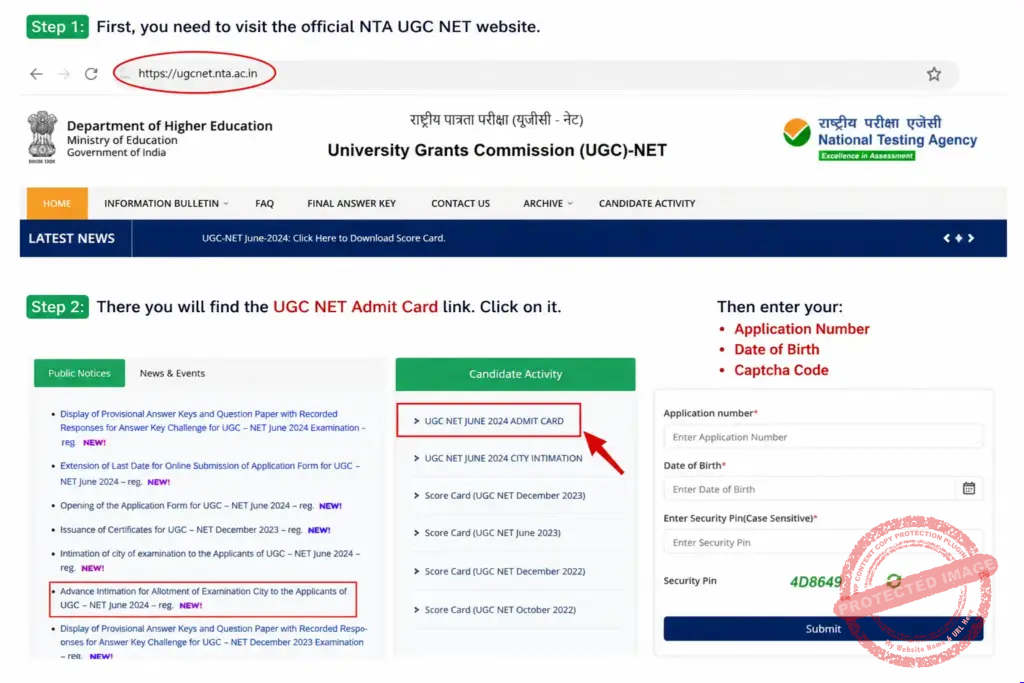
Step 1: First, you need to visit the official NTA UGC NET website.
Step 2: There you will find the UGC NET Admit Card link. Click on it.
Then enter your:
- Application Number
- Date of Birth
- Captcha Code
Step 3: After filling in these details, your admit card will appear on the screen. You can then download it in PDF format.
Details Mentioned on UGC NET Admit Card 2026
| Details |
|---|
| Candidate Name |
| Photograph |
| Signature |
| Roll Number |
| Subject Code |
| Exam Date & Time |
| Exam Centre |
Documents Required Along With Admit Card
- Printed UGC NET Admit Card
- Aadhaar Card / PAN Card / Voter ID / Passport
- Passport-size Photograph
- PwD Certificate (if applicable)
Without valid ID proof, entry may be denied.
Important Instructions for Exam Day
Reach Early
Reach the examination centre at least 1 hour before reporting time.
Avoid Restricted Items
Do not carry:
- Mobile phones
- Smart watches
- Bluetooth devices
- Notes or papers
- Calculators
How to Forgot UGC NET Application Number?

Step 1: Click Here – Forgot UGC NET Application Number
Step 2: Enter your Name, Father Name, Mother Name, D.O.B, and Captcha.
Step 3: You receive a popup from NTA UGC with your Application Number.
How to Forgot UGC NET Application Password?
Step 1: Click Here – Forgot UGC NET Application Password
Step 2: Choose one option: Using Security Question, SMS Code, Password Reseat Link on SMS

Step 3: Enter Application Number, D.O.B & Captcha.

Step 4: You Receive your UGC NET Application Password.
When will the UGC NET admit card be released?
Usually, NTA releases the admit card around 7–10 days before the examination.
Where can I download the ugc net admit card?
You can download it from the official website: https://ugcnet.nta.nic.in/
What login details are required to download the admit card?
Application Number
Date of Birth
Is it mandatory to carry a printed admit card?
Yes, only printed admit cards are accepted at the examination centre.
What should I do if there is an error in my admit card?
Immediately contact NTA support through the official website.
Can I show the admit card on mobile phone?
No, candidates must carry a physical printed copy.
What if I forget my application number?
You can recover it through the “Forgot Application Number” option on the official website.